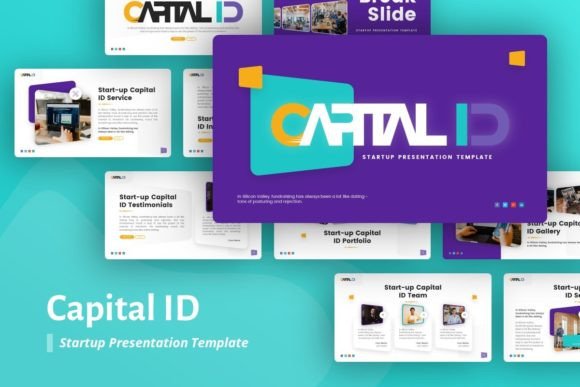
Capital ID Startup Presentation: A Designer’s Toolkit for Pitching Ideas
More Than Just Slides: A Complete Visual System
When you're building a startup, your pitch deck is often the first real handshake with investors, partners, or early customers. It needs to do more than just list facts—it has to tell a story, establish credibility, and make complex ideas feel simple and exciting. That's the core idea behind the Capital ID Startup Presentation. It's not a collection of generic templates; it's a thoughtfully crafted design asset built to communicate vision with clarity and style. The personality here is modern, professional, and clean, with a focus on structured layouts and pixel-perfect illustrations that avoid visual clutter. This approach ensures your content, your data, and your narrative are the heroes of every slide.
The visual appeal leans into a contemporary aesthetic—think balanced whitespace, strong typographic hierarchy using the Poppins font family, and a versatile color palette. It feels corporate enough for serious business discussions yet creative enough for a design-forward brand identity. This duality is its strength. Whether you're a creative agency showcasing a campaign or a tech startup explaining a new SaaS product, the template provides a consistent, professional framework that elevates your message. The inclusion of handcrafted infographics is particularly valuable; instead of wrestling with generic chart tools, you get ready-made, editable visualizations that can make financial projections or user growth metrics instantly understandable and engaging.
Practical Applications for Real-World Projects
So, where does the Capital ID Startup Presentation truly shine? Its utility extends far beyond the classic investor pitch. For marketers and brand strategists, it's an ideal foundation for client workshops, campaign briefs, or quarterly business reviews. The 36-slide structure provides ample room to walk through strategy, audience insights, creative concepts, and results without feeling rushed. The Master Slides feature is a game-changer for maintaining consistency; you can edit a single master slide to update every instance of a logo, footer, or color scheme across the entire deck, saving hours and preventing costly errors.
For entrepreneurs and small business owners, the template streamlines the creation of company profiles and portfolio presentations. Imagine a photographer or a craftsperson using the picture placeholder and drag & drop functionality to create a stunning visual showcase of their work. The clean layouts ensure the focus remains on the images, while the structured text areas allow for compelling project descriptions. Similarly, a content creator or blogger could adapt it into a media kit, presenting their audience demographics, past collaborations, and content pillars in a format that feels polished and credible to potential sponsors.
The template's design also considers the end-user's experience. The use of vector icon fonts and resizable graphics means you can scale elements without losing quality, which is crucial for both digital and print outputs. Need to export a slide as a high-resolution PDF for a printed report? No problem. Want to adapt it for a webinar or a social media summary? The assets are built for flexibility. This focus on practical, editable assets makes it a valuable part of any professional's toolkit, reducing the friction between having an idea and presenting it effectively.
Choosing and Customizing Your Presentation
Adopting any new design asset requires a bit of evaluation to ensure it's the right fit. Start by reviewing the included documentation file—it often contains valuable tips on customization and usage. Before diving into edits, consider your core message. The Capital ID Startup Presentation is built for clarity and persuasion, so it's best suited for projects where a structured narrative is key. If your goal is a highly artistic, free-form mood board, you might need to modify the templates more extensively.
A critical step is testing font pairings and color schemes. While the template uses the excellent premium font Poppins, a versatile sans serif font, you might want to incorporate a secondary typeface for specific accents. For instance, pairing Poppins with a subtle serif font can add a touch of traditional authority for a legal or financial presentation, while using a script font sparingly could inject personality for a lifestyle brand. Always test these combinations in the context of your actual content to check for readability and visual harmony.
Remember that all images in the demo are for preview only. This is a common practice with commercial font and template marketplaces, and it's actually a benefit. It means you're not locked into a specific aesthetic; you have the freedom to source and use your own photography or illustrations that perfectly align with your unique brand identity. Use sites like Unsplash, as suggested, for high-quality, license-free images, but ensure they reflect your brand's tone. Finally, review the licensing for any included assets, like the icon fonts, to ensure compliance for both personal and commercial projects. By treating the Capital ID Startup Presentation as a flexible starting point rather than a finished product, you can craft a presentation that is not only visually impressive but also authentically and powerfully yours.